HaloITSM Service Catalog: Create a Software Request Catalog
Published on
A common trap with self-service portals is building them around how "someone in IT" wants them to work, rather than how end users actually expect them to work. It's a good principle to hold. It's also easy to nod along with and still ship a catalog that violates it — because the violation usually isn't in the UI. It's in the fields.
I ran into a clean example of this recently in a HaloITSM Service Catalog instance: a service catalog that looked reasonably organized on the surface but was quietly creating an audit and approval problem underneath.
The old HaloITSM Service Catalog: pick a category, then pick a category again
The starting point required users to choose a top-level category before they could see or search anything.
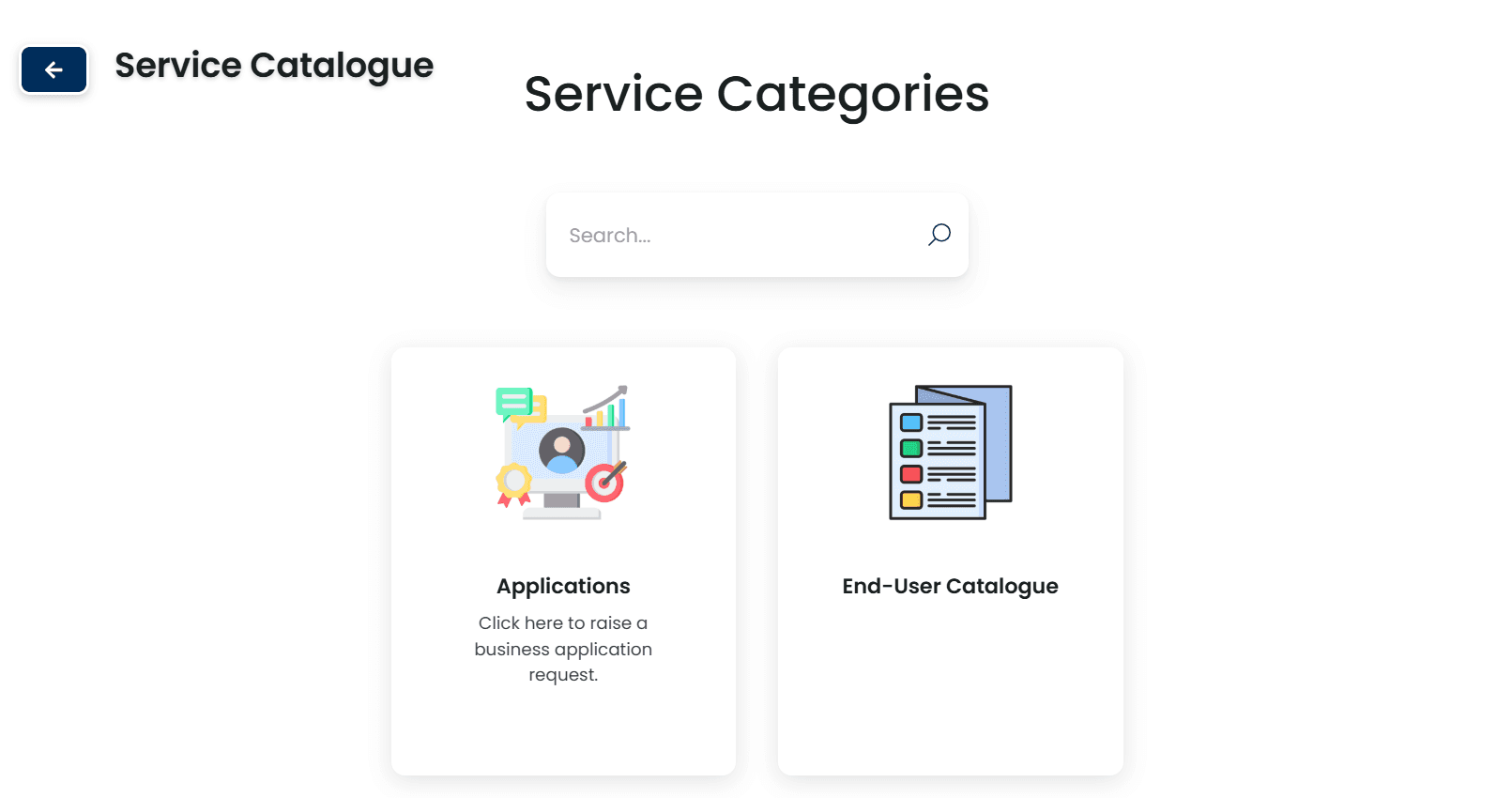
Caption: The starting point — users had to choose a top-level category before they could search or browse anything.
From there, browsing meant landing on a page scoped to just that category, with a "Choose a different category" link if you'd guessed wrong. Search only searched within whatever category you'd already committed to. If the thing you wanted lived under a different category — or wasn't obviously filed under any of them — you were stuck backtracking.
That's a discoverability problem, and it's the more visible one. It's not the interesting one.
The real problem: one form, one field, any combination of software
Most individual applications didn't have their own catalog entry at all. They were funneled through a single generic "Software" request — pick your applications from a dropdown, write a comment, submit.
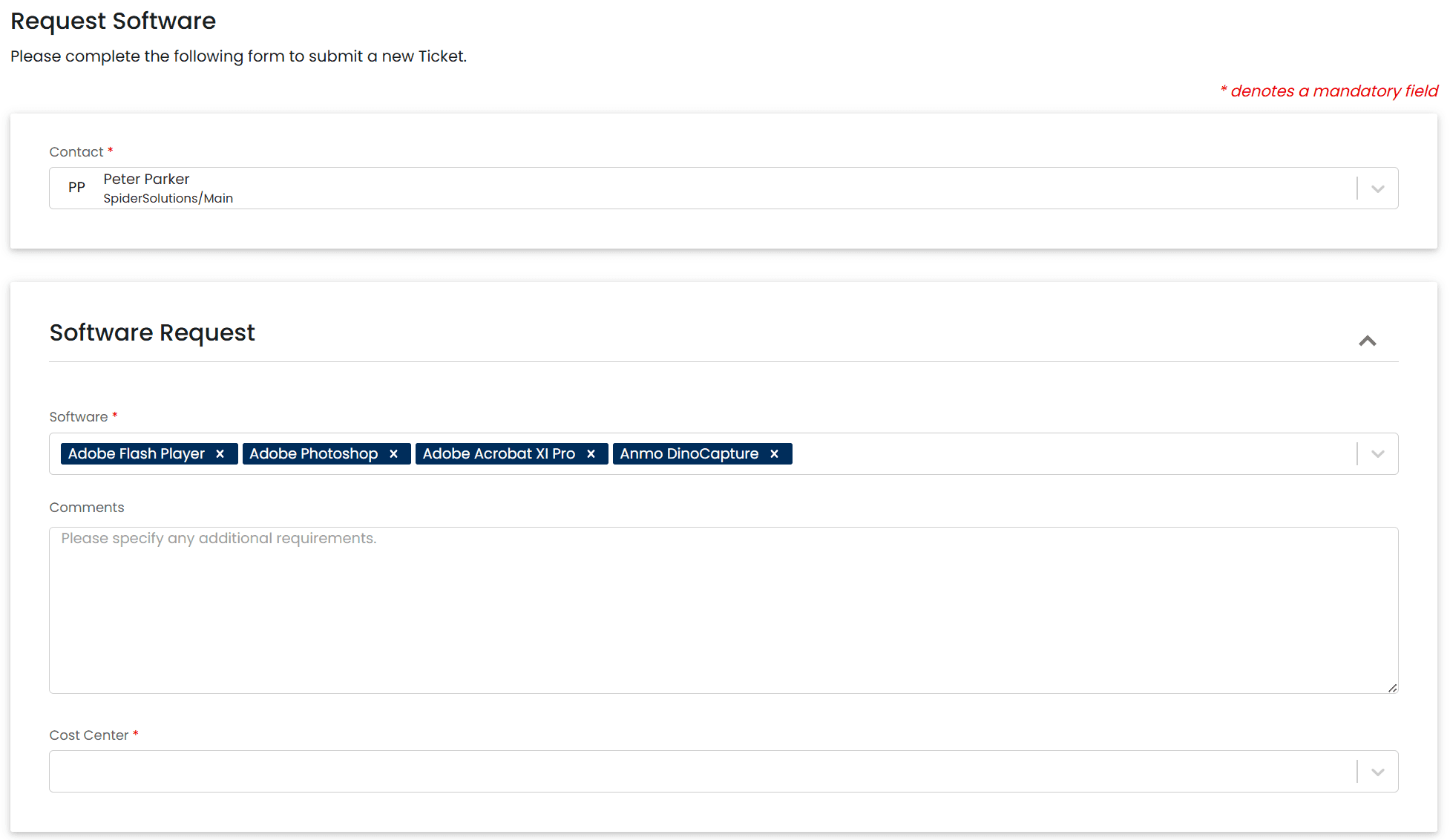
Caption: One form, one shared field, any combination of applications a user cared to select.
On the surface this looks efficient — one form to maintain instead of dozens. Underneath, it's an audit and approval anti-pattern:
Approval routing gets muddy. Different applications often warrant different approvers. A request bundling a low-risk utility with an ERP module has no way to route those two pieces differently, because they're not two requests — they're one ticket with a multi-select field.
Demand reporting requires deliberate filtering, and ticket count isn't request count. You can filter a report on the software field for "contains Acrobat Pro" — Halo supports that on demand. But a ticket bundling three apps is one ticket, not three requests, so "40 requests for Acrobat Pro this quarter" means counting field occurrences, not tickets — Acrobat Pro was never its own trackable thing on its own terms.
The backend confirms exactly why:
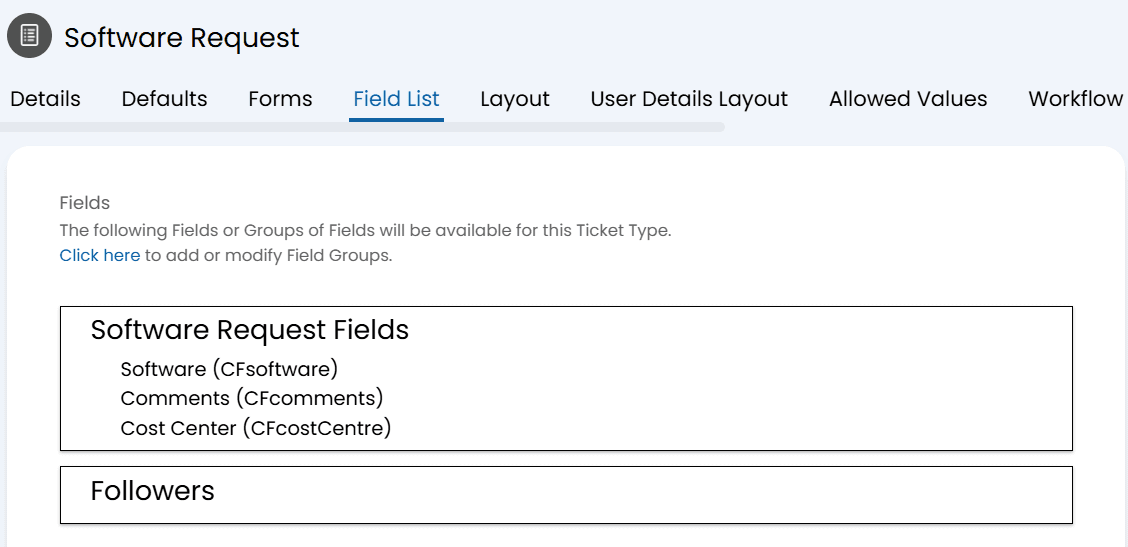
Caption: Behind the scenes — a single multi-select field feeding one workflow, regardless of what got requested.
One ticket type. One field the user fills in by hand. Everything downstream — approval, fulfillment, reporting — inherits whatever ambiguity that field started with.
The fix: one catalog entry, one template, per application
The visible fix was straightforward: give every application its own tile in the service catalog, with categories moved into a persistent sidebar filter instead of a gate. Users land on the full catalog by default and narrow down if they want to, rather than narrowing down before they're allowed to look.
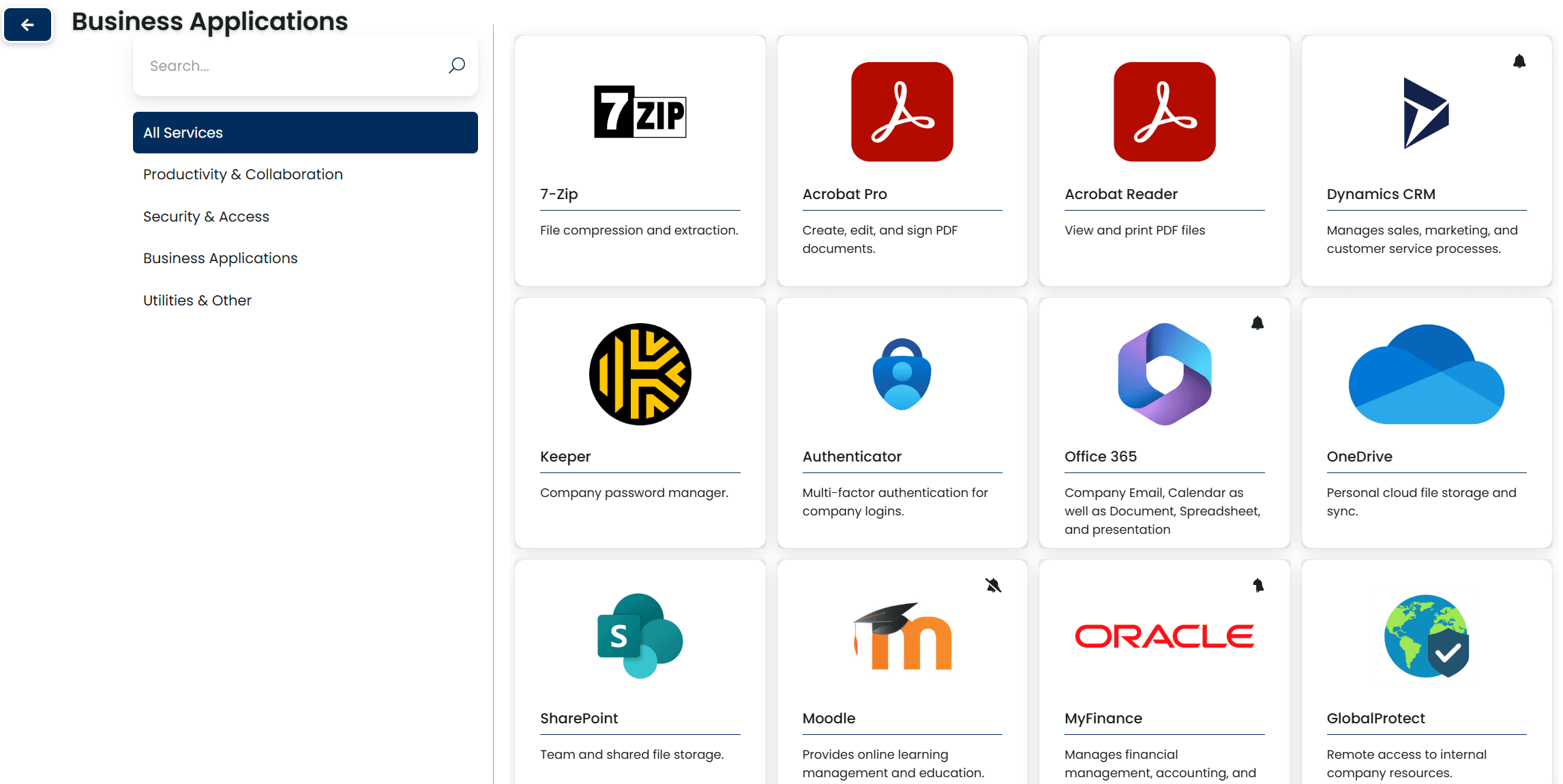
Caption: Every application now has its own tile and its own workflow.
That's the part a user notices. The part that actually solves the audit problem is what happens once they click one:
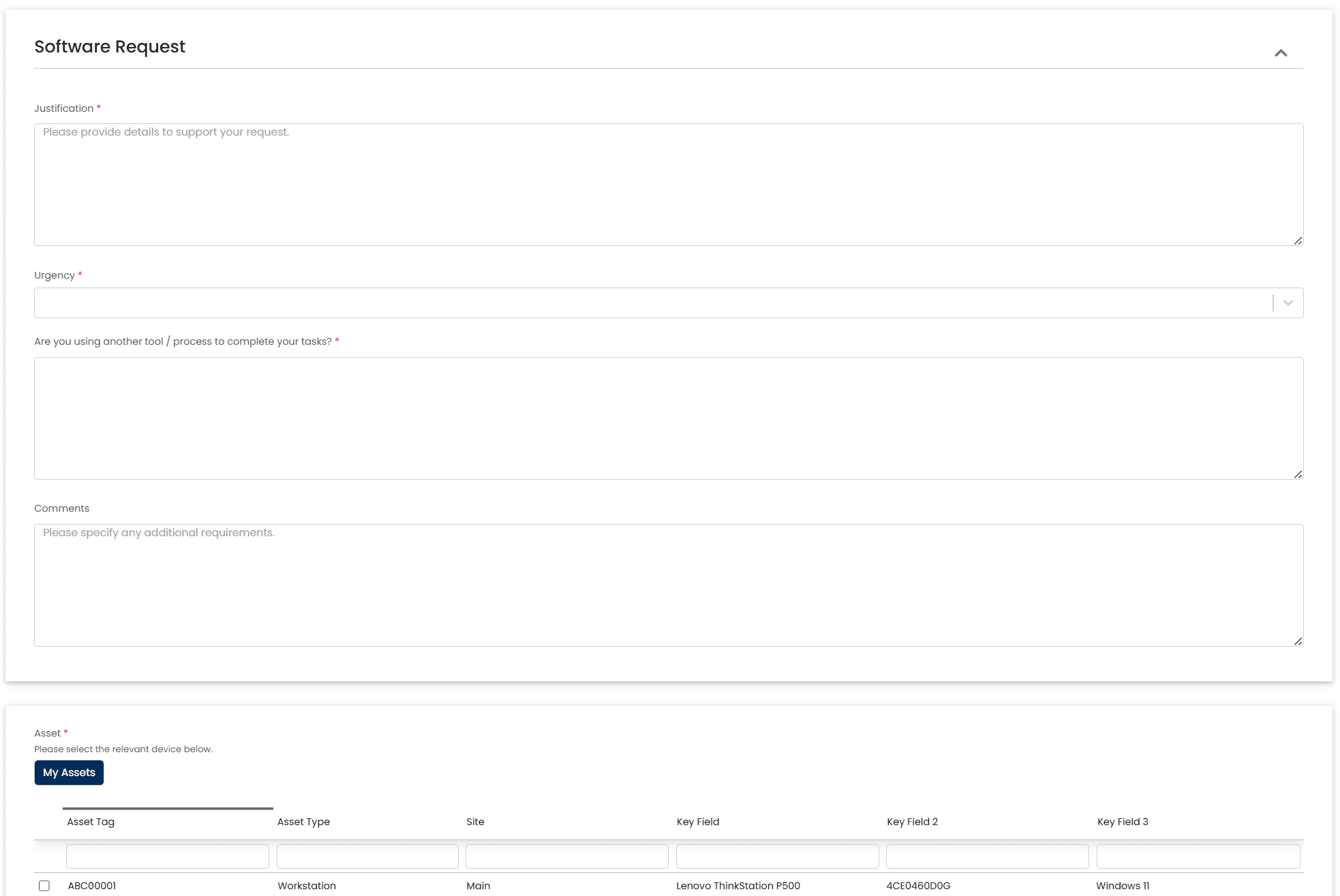
Caption: Requesting Office 365 now means answering a few questions and picking a device — nothing about "which software" left to the user.
There's no software dropdown here at all. The user provides a justification, optionally notes anything else worth mentioning, and selects which of their devices the software should target. That's it.
What's actually different underneath
This is the part that matters more than the tile layout. Each application now has its own ticket template, and the template — not the user — owns the fields that used to be a source of ambiguity.
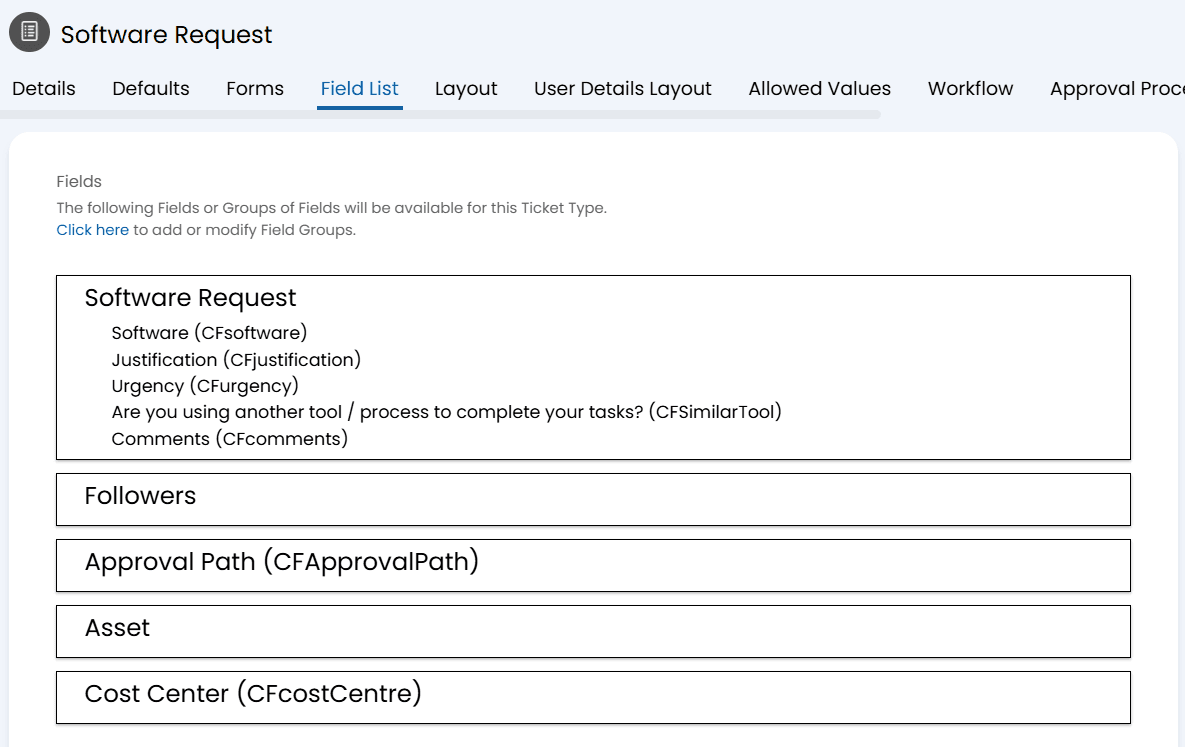
Caption: The updated template — software and approval routing are set automatically and hidden; the user only fills in what actually needs a human answer.
A few specific changes worth calling out:
CFsoftware is now auto-populated by the template and hidden in the request form. The user requesting Office 365 never touches this field — the template already knows what was requested, because the catalog entry is the request.
Approval Path is auto-populated by the template and hidden. This is what lets different applications route to different approvers without asking the user to know or select anything about approval chains.
Asset was added so the request itself carries which device the software should be installed on, instead of IT having to chase that down after the ticket lands.
A new field asks whether the user is already using an equivalent tool — Google Authenticator instead of the company standard, Foxit instead of Adobe, and so on. That's useful context for whoever reviews the request, and previously had nowhere to go.
Justification is required; Comments is optional. There's always a reason on record, but the user isn't forced to pad out extra detail that doesn't apply.
The pattern underneath all of it: the fewer decisions the form leaves to free-form user input, the cleaner the resulting audit trail. The user should be answering "why do I need this" — not "what is this called in your system," and not "who's supposed to approve this."
The takeaway
If your service catalog is leaning on one generic "Software" form with a multi-select dropdown, it's worth asking how you'd actually answer an audit request today — and how much of that answer currently lives in free text instead of structured data. Splitting a catalog into individual tiles is the easy, visible half of the fix. Moving software identity and approval routing into hidden template fields — so the user never has to know or choose either — is the half that actually holds up under review.